Blog
May. 15, 2026
Custom book printing can feel expensive, especially when you are printing thick books or high‑page‑count runs. But you do not have to sacrifice quality to bring the price down. By paying attention to trim size, paper choice, printing method, and packaging, you can reach cost effective custom book printing while still producing a professional‑looking book. If you want to explore more about our printing services, you can start by visiting our home page and then get in touch to discuss your project.
Most of the “hidden” cost in book printing comes from paper waste and setup time, not from the cover design or title. One of the fastest ways to lower your cost is to choose standard trim sizes instead of fully custom sizes.
In the printing industry, typical standard sizes are:
Paperback trade novels: 5.5" × 8.5", 6" × 9"
Non‑fiction and textbooks: 6" × 9", 7" × 10", 8.5" × 11"
These sizes are widely used because they match common paper sheet sizes and press layouts. That means:
One large sheet can be folded and cut into multiple pages with little waste.
Printers can use the same plate layout and cutting blades across many jobs.
Common sizes like 5.5" × 8.5" and 6" × 9" are known as “standard trade sizes” and are among the most cost effective custom book printing options.
If you choose a custom size—for example 5.7" × 8.3"—the printer must:
Recalculate the layout and leave extra trim and bleed space.
Use more paper during setup and proofing.
Adjust the cutting machine more often.
All of these steps add setup time and paper waste, which show up in the per‑book price. When you stick to standard book sizes for printing, you are using a pre‑optimized workflow that keeps your cost lower.
Novels and general reading: 5.5" × 8.5" or 6" × 9" are the most popular and budget‑friendly.
Textbooks and workbooks: 7" × 10" or 8.5" × 11" are easier to lay out with exercises and images.
Children’s books or picture‑heavy projects: 6" × 6", 6" × 8", or 7" × 10" help keep thick pages manageable.
Basic rule: stay in the standard‑size band unless you have a clear marketing or reading‑comfort reason to go custom.
Paper is one of the biggest cost drivers, especially for thick books. Choosing the right paper weight and type is key to the cheapest way to print thick books without making the book feel cheap.
Many customers want “premium” paper everywhere, but that is often unnecessary. A smarter strategy is:
Use higher‑grammage paper on the cover (e.g., 250–300 GSM board with matte or gloss lamination).
Use lighter paper inside so the book stays comfortable to hold.
For example:
70–80 GSM for interior text in novels or reference books where the feel is not the main selling point.
90–100 GSM for higher‑quality reading books or workbooks.
157–300 GSM for covers and special pages.
This combination keeps the book strong and premium on the outside, but cheaper to print on the inside.
Many printers recommend using heavier coated paper only for:
Title pages.
Image‑heavy spreads.
High‑impact sections.
For the rest of the book, a lighter or standard coated stock can look good on screen and in print, but cost less. This mix is a common way to achieve cost effective custom book printing for thick, image‑heavy books.
If every page is 120 GSM or heavier, the spine becomes very thick and the book heavy. That increases materials, binding labor, and sometimes even shipping weight. For many projects, thinner, lighter paper on the interior is enough.
How you print your book has a big impact on the final price, especially for thick or long‑run books.
For short runs (e.g., 50–500 copies), digital printing is usually the best option because:
There is no plate cost.
Setup time is fast.
You can print small batches on demand.
Digital is ideal if you are testing a market, doing a small first edition, or selling books online in low quantities. The per‑copy cost is higher, but the total project cost is lower because you avoid setup and waste.
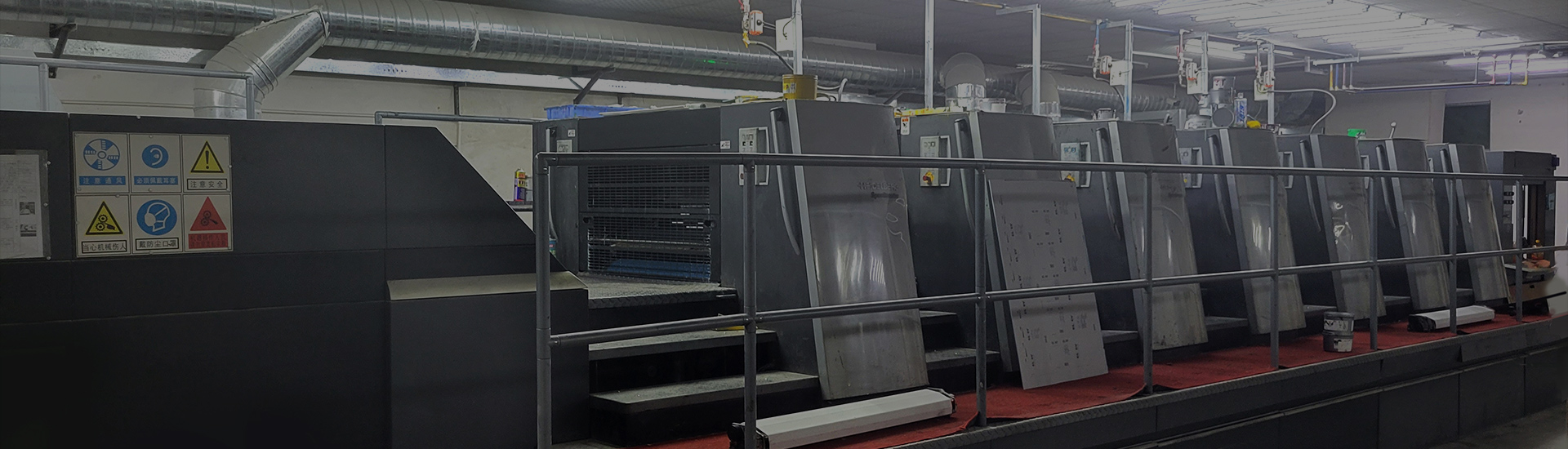
For larger runs (e.g., 1,000+ copies), offset printing becomes the cheapest way to print thick books because:
Plates are made once, then reused for all copies.
The per‑sheet cost drops as volume increases.
Heavy‑weight or coated papers are easier to print smoothly.
With offset, you may pay more for plates and setup, but the per‑book price can be much lower at high volumes. This is the classic model for cost effective custom book printing of thick books and long‑run editions.
| Print run | Best method | Why it fits |
|---|---|---|
| 50–500 copies | Digital printing | No plate cost, fast setup, good for small batches. |
| 700–1,000+ copies | Offset printing | Lower per‑copy cost at scale, better for thick books |
Once your book is printed, the next big cost driver is shipping, especially for international orders. Many couriers bill by volumetric weight, not just by actual weight. This means oversized or loose packaging can make the freight cost much higher than expected.
To keep the volumetric weight low:
Use boxes that are just large enough to fit the books, with minimal padding.
Avoid long, flat boxes or boxes that are much taller than the stack.
If possible, ship multiple books in one box instead of separate small boxes.
A compact box uses less space on the pallet and in the cargo, which lowers the calculated volumetric weight and the final shipping charge.
Use corrugated board that is strong enough to protect the books, but not thicker than necessary.
Add a thin layer of foam or cardboard dividers only when the shipment is fragile or very valuable.
Over‑packing with extra materials increases both weight and volume, which can push the shipment into a higher price bracket.
If your book is printed in a standard trim size (like 6" × 9" or 8.5" × 11"), you can design universal boxes that fit multiple runs. This means:
You can reuse the same box design for different titles.
You can order boxes in bulk, which lowers the per‑box cost.
You can calculate freight more predictably because box size is stable.
This is another way that standard book sizes for printing support cost effective custom book printing beyond the printing floor.
| Area | Lower‑cost choice | Keeps quality? | Best for thick books? |
|---|---|---|---|
| Trim size | Standard sizes: 5.5" × 8.5", 6" × 9", 7" × 10", 8.5" × 11" | Yes, same feel on the shelf. | Yes, reduces waste and per‑sheet cost. |
| Paper weight (interior) | 70–80 GSM or 90–100 GSM instead of 120+ GSM on all pages | Yes, still readable and durable. | Yes, thinner spine and lighter weight. |
| Cover paper / board | 250–300 GSM with basic lamination instead of ultra‑thick or soft‑touch. | Yes, still feels premium. | Yes, keeps structure strong without over‑building. |
| Binding | Soft‑cover perfect binding instead of case‑bound hardcover. | Yes, looks professional for most books. | Yes, cheaper and easier to apply. |
| Print method | Digital for small runs, offset for large runs. | Yes, quality is similar if done well. | Yes, offset is usually the cheapest way to print thick books at scale. |
| Packaging | Compact boxes that fit snugly, minimizing empty space. | Yes, still protects the books. | Yes, lowers volumetric weight and shipping cost. |
This table shows that cost effective custom book printing is not about making the book “cheap,” but about choosing the right combination of size, paper, method, and packaging for your project.
If your book is a gift book, coffee‑table art book, or limited edition, the higher cost is part of the product:
Thicker paper and harder covers help the book feel valuable.
Case‑binding, sewn signatures, and premium finishes add to the experience.
In these cases, cutting costs too much can hurt the perceived value.
If the book is central to your brand—such as a flagship catalog, product guide, or membership publication—you may want to keep higher quality in printing and binding. You can save money in other areas (like design, logistics, or marketing) instead of cutting the book’s feel and structure.
You can significantly reduce custom book printing costs without losing quality by focusing on a few key levers:
Use standard book sizes for printing to minimize waste and simplify production.
Choose lighter paper weights for interiors and reserve heavier stocks for covers and key pages.
Pick digital printing for small runs and offset printing for large runs to match your volume.
Design compact, efficient packaging that lowers volumetric weight and international shipping costs.
This approach gives you cost effective custom book printing and one of the cheapest ways to print thick books while keeping the book strong, readable, and professionally finished. If you want help planning your next run, you can start by visiting our home page and then contact us to discuss trim size, paper, print method, and packaging that fit your budget.


